
How to Secure a Website
Website security is essential for every modern business.
Whether you operate a small business website, ecommerce store, WordPress website, or custom web application, security problems can affect your reputation, customers, and revenue.
Hackers can target websites to steal information, inject malicious code, take control of accounts, or disrupt business operations.
The good news is that many common security risks can be reduced with proper development, configuration, monitoring, and maintenance.
In this guide, we’ll explain how to secure a website and the essential security practices businesses should follow in 2026.
Why Website Security Matters
A website is often the first digital touchpoint between a business and its customers.
A security breach can result in:
- Data theft
- Website defacement
- Malware infections
- Account compromises
- Payment-related risks
- Loss of customer trust
- Business disruption
- SEO and reputation problems
Security should therefore be considered during website development rather than added only after a problem occurs.
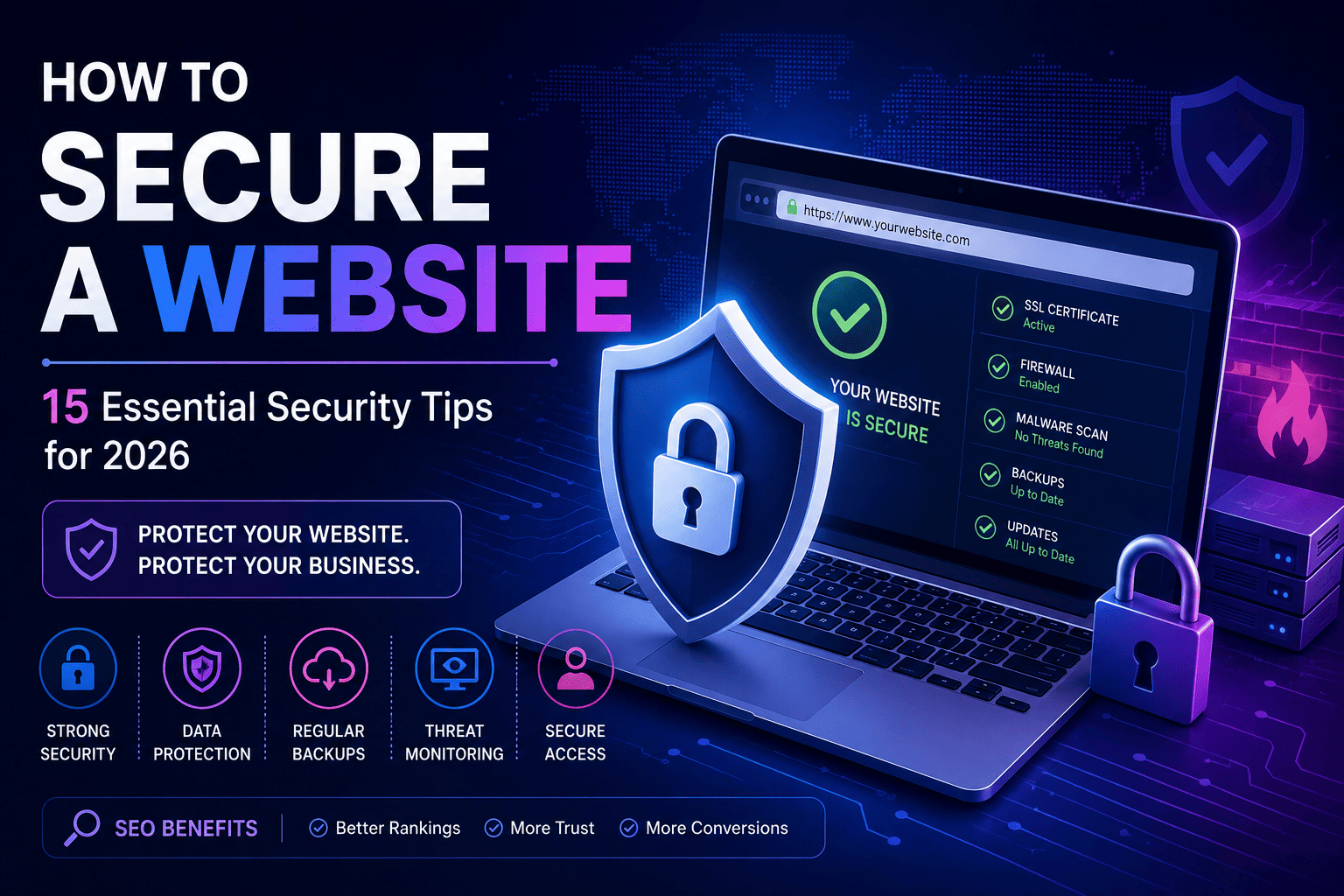
15 Ways to Secure a Website
1. Use HTTPS and an SSL/TLS Certificate
HTTPS encrypts communication between a visitor’s browser and your website.
This helps protect information transmitted between users and the server.
Make sure your website uses HTTPS correctly and does not unnecessarily load important pages over insecure HTTP.
2. Keep Your Website Software Updated
Outdated software can contain known security vulnerabilities.
Regularly update:
- CMS software
- Plugins
- Themes
- Frameworks
- Libraries
- Server software
Updates should be tested properly, especially on business-critical websites.
3. Use Strong Passwords
Weak passwords can make accounts easier to compromise.
Use strong, unique passwords for:
- Website administrators
- Hosting accounts
- Database accounts
- Email accounts
- CMS users
Avoid using the same password across multiple services.
3. Use Strong Passwords
Weak passwords can make accounts easier to compromise.
Use strong, unique passwords for:
- Website administrators
- Hosting accounts
- Database accounts
- Email accounts
- CMS users
Avoid using the same password across multiple services.
3. Use Strong Passwords
Weak passwords can make accounts easier to compromise.
Use strong, unique passwords for:
- Website administrators
- Hosting accounts
- Database accounts
- Email accounts
- CMS users
Avoid using the same password across multiple services.
5. Use Secure Admin Access
Your website administration area should not be accessible to everyone.
Use appropriate user roles and permissions.
Only give administrators the access they actually need.
For example:
- Administrators can manage the entire website.
- Editors can manage content.
- Authors can publish their own content.
- Other users should receive only the permissions required for their role.
6. Create Regular Backups
Backups are essential if something goes wrong.
A backup can help you recover from:
- Malware
- Accidental deletion
- Server failures
- Plugin conflicts
- Database problems
- Website attacks
Keep backups separate from the main website and test your restoration process regularly.
7. Secure Your Database
Web applications often depend on databases to store information.
Database security should include appropriate access controls, secure credentials, and safe application architecture.
Developers should also use secure database queries to reduce the risk of injection attacks.
8. Protect Forms From Spam and Abuse
Contact forms, registration forms, login pages, and comment sections can be targeted by automated bots.
Use appropriate protections such as:
- Rate limiting
- CAPTCHA or similar challenges
- Input validation
- Spam filtering
- Server-side validation
This helps reduce unwanted automated activity.
9. Validate User Input
Never assume that information submitted by users is safe.
User input should be properly validated and handled before being processed or stored.
This is particularly important for:
- Login forms
- Search forms
- Contact forms
- Checkout systems
- User profiles
- File uploads
Secure input handling helps reduce several common application vulnerabilities.
10. Use Secure File Uploads
If users can upload files to your website, additional security controls are required.
Limit:
- File types
- File sizes
- Upload locations
- User permissions
Uploaded files should be properly validated before being accepted by the application.
11. Install a Website Security Solution
Depending on your platform, security tools can help monitor suspicious activity and block certain threats.
For WordPress websites, security solutions can provide features such as:
- Login protection
- Malware scanning
- Firewall functionality
- Security notifications
- Suspicious activity monitoring
Security plugins should complement proper development practices rather than replace them.
12. Protect Your Website From Common Web Attacks
Modern websites should be developed with common application security risks in mind.
These include:
- Cross-site scripting (XSS)
- SQL injection
- Cross-site request forgery (CSRF)
- Broken access control
- Authentication vulnerabilities
- Insecure file handling
Professional development practices can significantly reduce these risks.
13. Secure Your APIs
Modern websites and applications often communicate with external systems through APIs.
API security should include:
- Authentication
- Authorization
- Input validation
- Rate limiting
- Secure communication
- Proper error handling
Never expose sensitive credentials or private API keys in frontend code.
14. Monitor Your Website
Security does not end when your website goes live.
Regular monitoring can help identify unusual activity.
Monitor:
- Login attempts
- Server activity
- Failed requests
- Malware alerts
- Software updates
- Performance issues
- Unexpected file changes
Early detection can make security incidents easier to handle.
15. Perform Regular Security Audits
A website should be reviewed periodically.
Security audits can identify:
- Outdated software
- Weak credentials
- Excessive permissions
- Vulnerable plugins
- Configuration problems
- Unnecessary services
- Application vulnerabilities
Regular reviews become especially important as your website grows.
How to Secure a WordPress Website
WordPress powers millions of websites, but security depends heavily on how the website is configured and maintained.
Important WordPress security practices include:
- Keep WordPress updated.
- Update plugins and themes.
- Remove unused plugins.
- Use trusted themes and plugins.
- Enable MFA.
- Use strong administrator passwords.
- Configure backups.
- Limit user permissions.
- Protect the login area.
- Monitor suspicious activity.
- Use HTTPS.
- Keep the hosting environment secure.
Avoid installing unnecessary plugins simply because they offer additional features.
Every additional component should be evaluated for security, maintenance, and performance.
How to Secure a WordPress Website
WordPress powers millions of websites, but security depends heavily on how the website is configured and maintained.
Important WordPress security practices include:
- Keep WordPress updated.
- Update plugins and themes.
- Remove unused plugins.
- Use trusted themes and plugins.
- Enable MFA.
- Use strong administrator passwords.
- Configure backups.
- Limit user permissions.
- Protect the login area.
- Monitor suspicious activity.
- Use HTTPS.
- Keep the hosting environment secure.
Avoid installing unnecessary plugins simply because they offer additional features.
Every additional component should be evaluated for security, maintenance, and performance.
How to Secure an Ecommerce Website
Ecommerce websites require additional security because they handle customer accounts, orders, and payment-related information.
Important areas include:
- Secure checkout
- HTTPS
- Strong authentication
- Access control
- Payment gateway security
- Secure APIs
- Input validation
- Regular updates
- Backup systems
- Monitoring
Businesses should also work with reputable payment providers and follow the security requirements applicable to their payment environment.
Website Security and SEO
Website security can also affect your search visibility indirectly.
Security problems may lead to:
- Malware warnings
- Browser warnings
- Website downtime
- Loss of user trust
- Poor user experience
- Search visibility problems
A secure website provides a stronger technical foundation for SEO and long-term growth.
However, security alone does not guarantee higher search rankings.
SEO also depends on content quality, relevance, technical optimization, authority, and many other factors.
Common Website Security Mistakes
Avoid these mistakes:
- Using outdated plugins
- Reusing passwords
- Giving every user administrator access
- Ignoring software updates
- Not creating backups
- Using insecure hosting
- Exposing API keys
- Accepting unrestricted file uploads
- Ignoring suspicious login attempts
- Installing unreliable plugins or themes
- Never performing security audits
How Dev Creators Can Help Secure Your Website
Website security should be built into your digital solution from the beginning.
At Dev Creators, we help businesses create websites and applications with security, performance, scalability, and long-term maintainability in mind.
Our team can help with:
Secure Website Development
We develop websites using appropriate security practices across the frontend, backend, database, and server environment.
WordPress Security
For WordPress websites, we can help with secure configuration, updates, access controls, backups, plugin management, and performance optimization.
Custom Web Application Security
For custom applications, we can implement appropriate authentication, authorization, input validation, API security, and access controls based on project requirements.
Ecommerce Security
We help businesses build ecommerce solutions with secure user accounts, checkout integrations, APIs, and business workflows.
When Should You Hire a Professional?
Professional help may be appropriate if:
- Your website has been hacked.
- You suspect malware.
- Your website contains customer accounts.
- You operate an ecommerce platform.
- You process sensitive business information.
- You use multiple APIs.
- Your website has complex user permissions.
- You are running a custom web application.
- You don’t have a regular maintenance process.
Security problems should be investigated carefully rather than attempting random fixes.
Frequently Asked Questions
How can I secure my website?
Start with HTTPS, strong passwords, MFA, regular updates, backups, secure hosting, proper access controls, input validation, monitoring, and regular security reviews.
Is WordPress secure?
Yes. WordPress can be used securely when it is properly developed, configured, updated, and maintained.
Can a website be completely secure?
No website can be guaranteed to be completely immune to every possible threat. Good security focuses on reducing risks, protecting systems, detecting problems, and recovering quickly when incidents occur.